AI video ad generator for short vertical ads
A video ad maker usually means a timeline, a stock library and an evening of dragging clips around. UgcVids flips the order. It writes the spoken script from your product page first, then cuts your product images to the rhythm of that voice, adds captions and exports a ready vertical MP4.
Why the script comes before the timeline
Short video ads are carried by words more than by pictures. Viewers decide in a second or two whether the opening line is about them, and the visuals mostly have to keep up with what is being said. When you start in an editor, you tend to pick pretty shots and squeeze text in later. When you start from a script, every scene has a job.
That is the logic behind this generator. The AI reads your product page, writes the voiceover, and splits it into beats. Each beat gets a scene from your images and a caption line. The timing of the cut follows the timing of the voice, so a product close up arrives exactly when the voice names the feature it shows.
You end up with something that feels edited rather than assembled, without opening an editor at all.
Anatomy of a generated video ad
Here is how a typical voiceover ad for an imaginary electric standing desk breaks down second by second.
| Time | Voice | Scene |
|---|---|---|
| 0 to 2 s | "Your lower back has opinions about that chair." | Slow push in on the desk at its lowest height |
| 2 to 7 s | "This desk goes from sitting to standing in one press." | Pan across the control panel image |
| 7 to 13 s | "Four memory presets, a frame that stays steady at full height, and room for two monitors." | Close up of the frame, then the wide desktop shot |
| 13 to 18 s | "Set it up once and switch heights between calls." | Lifestyle image from the product page, gentle zoom out |
| 18 to 21 s | "Tap the link to pick your size." | End card with the product name |
Captions are burned into every beat, so the ad still makes sense in a muted feed. In an avatar ad, the first row is replaced by an AI presenter who speaks the opening line straight to camera for about eight seconds, and the rest of the beats follow as above.
Three ways to make a video ad compared
Each route has a place. The question is which one matches the number of ads you need and the hours you have.
| Topic | UgcVids generator | Template video ad maker | Filmed production |
|---|---|---|---|
| Who writes the script | AI, from your product page, with three hooks | You | You or a copywriter |
| Where visuals come from | Your product images, animated | Stock clips and your uploads | New footage from a shoot |
| Editing skill needed | None | Some, you arrange the timeline | A professional editor |
| Voice | AI voice in English | Usually your own recording or text only | Actor or presenter |
| Output size | Vertical 1080x1920 only | Most sizes | Any size you shoot for |
| Real hands using the product | No | Only if you have the clips | Yes |
| Best for | Many quick tests per product | Teams with time to design each ad | Hero brand films and big launches |
What you decide and what the generator decides
Speed comes from fewer choices. These are the ones left in your hands.
- Which product page the ad is built from, so you control the facts and the images.
- Which of the three hooks opens the ad.
- Whether the ad is a voiceover ad or an avatar ad, and which AI presenter from the avatar library opens it.
- Which finished files you download and run.
The generator handles the beat structure, the scene order, the pan and zoom moves, the caption breaks and the end card. That trade is deliberate. It is what lets one person produce a batch of test ads in an afternoon, and it is also why this is the wrong tool if you want frame level control over every transition.
If your images are the weak spot, fix the page rather than the ad. A clean white background shot, a close up of the key feature and one image of the product in its setting give the generator three very different scenes to work with.
Where a vertical video ad runs well
TikTok
The full frame vertical file fits the For You feed. Keep the hook short and plain. Our AI TikTok video generator page covers safe zones in detail.
Instagram Reels
Upload the same MP4 as a Reels placement. Watch that the end card text sits above the caption area of the interface.
Facebook and Instagram Stories
Stories accept the vertical size directly. Shorter scripts tend to suit Stories, so pick the hook that gets to the point fastest.
YouTube Shorts
Shorts takes vertical video under a minute, which every generated ad is. Captions matter here as many viewers watch muted.
How many video ads a plan gives you
Starter includes 20 video ads a month, 2 of them avatar ads, for $49 with monthly billing or $24 a month billed yearly. Growth gives 60 ads with 5 avatar ads for $110 a month, or $55 a month billed yearly. Agency gives 150 ads with 12 avatar ads for $249 a month, or $124 a month billed yearly.
Every plan uses the full avatar library and produces three hook variants per product. Limits reset each billing month, and an ad you delete still counts. Moving to a higher plan charges the difference for the current period and the bigger limit applies straight away. Details are on UgcVids pricing.
Want to see the face first approach in more depth? Read about the AI spokesperson video format, or see how these files work as AI UGC ads in a creator style feed. The home page has sample ads you can play.
Video ad maker questions
How is an AI video ad generator different from a video ad maker with templates
A template video ad maker gives you a timeline and asks you to fill it with clips and text. The UgcVids generator writes the words first, from your product page, and then builds the timeline around the voice, so scenes and captions are already in sync when you see the ad.
How long are the video ads
Most ads run about 15 to 25 seconds. The exact length follows the script, which depends on how much the product page has to say. Avatar ads open with a presenter clip of about 8 seconds that counts toward that length.
Can I use my own footage in the video
No. Scenes are built from the product images on the page you link, animated with zoom and pan. There is no upload for your own video clips, which keeps the process fast but means you cannot mix in filmed footage.
Which aspect ratio does the generator export
Every ad is exported as a vertical MP4 at 1080x1920. That size is accepted by TikTok, Instagram Reels, Facebook and Instagram Stories placements and YouTube Shorts. Square and horizontal versions are not produced.
Is there a free plan
There is no free plan, but the demo on the home page is free. It reads your product link and shows the hooks, the timed script and a storyboard of the ad before you pay for any rendering.
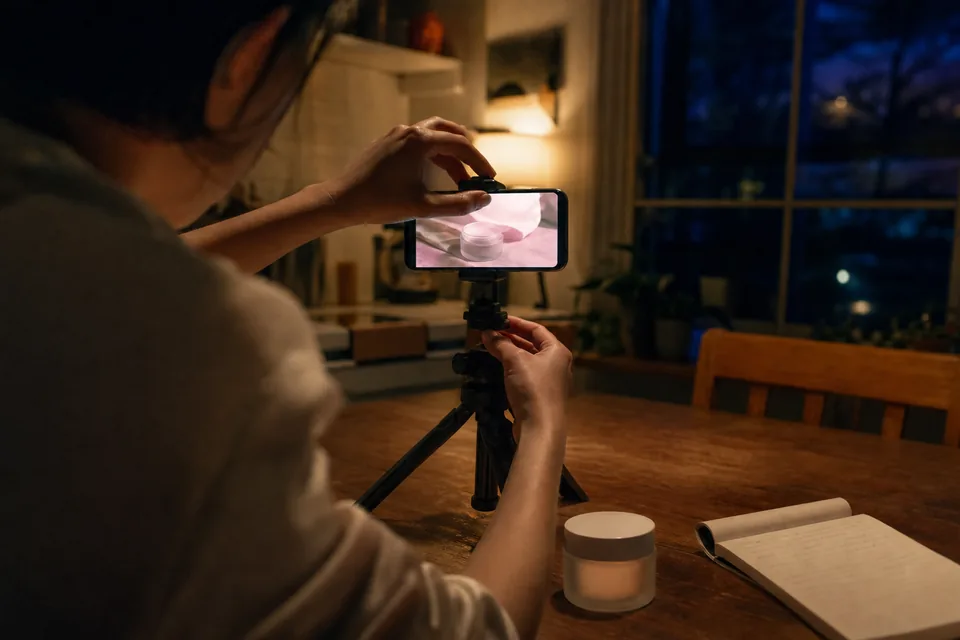
Watch your product page become a storyboard
The free demo reads your link and lays out the beats, captions and scenes of the ad from your own images. Render the real file when you are happy with the plan.